m2m.ma
Solutions

Stock management suited to your business

Track your goods in and out and your warehouses, with alerts and simple inventories.

Why keep a close eye on your stock

Poorly tracked stock ties up money and causes shortages at the wrong moment. When each movement is recorded, you know what you have and where it is. You can buy at the right time and answer your customers without checking on site.

Stock management
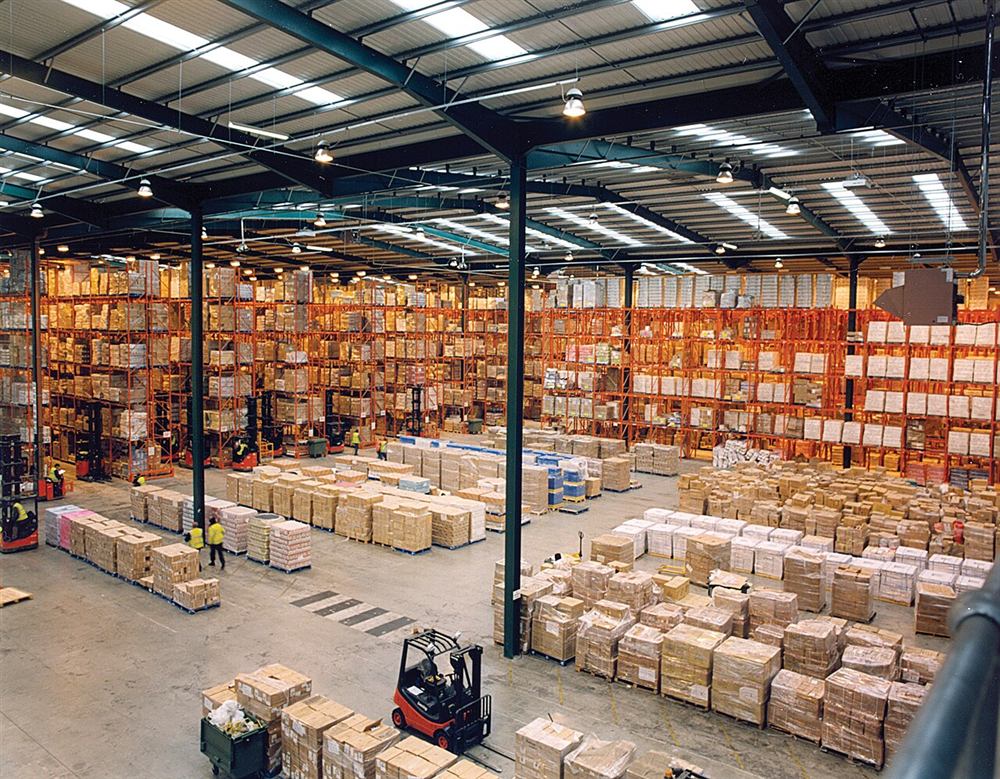
Photo : Axisadman, CC BY-SA 3.0
Stock management

What we can build

  • Receipts and shipments recorded with each movement
  • Multiple warehouses and transfers between them
  • Barcode reading with a scanner or phone
  • Minimum-level alerts for each item
  • Rolling or full inventories, with discrepancies
  • Traceability by batch, date or serial number
Example: fictitious data

Example dashboard: items by warehouse

Main warehouse320
Second warehouse140
Workshop75
In transit30
View the data
ItemCount
Main warehouse320
Second warehouse140
Workshop75
In transit30
In motion

Stock management

Fictional exampleStock of one item over the days
Alert threshold Receipt +120Reorder
Sales bring stock down. At the threshold, an alert suggests reordering; the delivery brings it back up.
Stock management

How we work

  1. 1

    Observe

    We follow the route of your items from receipt to dispatch. We note your units, your warehouses and your storage habits.

  2. 2

    Prepare

    We clean up your item list and define codes and locations. A first inventory gives the starting stock.

  3. 3

    Build

    We develop the screens your storekeepers and managers need. Your teams try them on the ground before going live.

  4. 4

    Connect

    We can connect stock to your purchasing, your shop or your invoicing. The reports follow the questions you ask yourself.

Why a custom stock tool

Many SMEs track their stock in an Excel file or from memory. This works for a while, then gaps appear: the file says one thing, the shelf says another. Standard software can help, but it sometimes imposes a way of working that does not fit your trade. A custom tool starts from your items, your units and your habits, whether you handle spare parts, raw materials or finished products.

Following each movement without adding work

The right tool is the one your storekeepers actually use. So we try to keep data entry to what is strictly necessary. A receipt can start from a purchase order, a shipment from a customer order, and a barcode avoids retyping references. A phone is often enough to start reading codes.

Each movement leaves a trace: who did what, when and in which warehouse. When there is a discrepancy, you have what you need to understand it instead of guessing.

Several warehouses, one view

If you have a shop, a workshop and a warehouse, or several sites in different cities, you need to see all your stock in one place. The tool can manage transfers between warehouses, with an exit on one side and an entry on the other, so the goods stay visible on screen during the journey. We can also provide access rights by site.

Alerts, inventories and traceability

A stock tool becomes truly useful when it warns you and makes checks easier.

  • An alert when an item falls below the minimum level you have set
  • Rolling inventory, area by area, without stopping all activity
  • Inventory discrepancies shown and explained before correction
  • Tracking by batch, date or serial number when your business requires it
  • Reports on items that move slowly or are often missing

Connecting stock to the rest of your business

Stock makes the most sense when it exchanges information with the rest of the company. It can be connected to your purchase requests, your online shop or your level sensors, and your invoices can be prepared on my.m2m.ma. For stock valuation and accounting entries, the rules to follow should be validated with your accountant. The scope depends on your business: let us talk about it, and we will prepare a quote for your project.


stock.m2m.ma · caisse.m2m.ma · achats.m2m.ma

Stock, point of sale and purchasing: your platforms are available

Stock with barcodes, stock counts and tracked shipments; point of sale with up to 3 tills per subscription, on Windows computers, tablets and Android phones, with products by barcode, reference or name, printed receipts, card terminal or CashDro cash machine, and reports by day, week, month, year and region; purchasing with requests, purchase orders and goods receipts that update stock. Everything is linked to your invoicing, with a single m2m.ma account. 15-day free trial for each platform.